
A Textcoin lets you send tokens via a simple link – whether it’s GBYTE, ETH, USDC or any other asset.
You don’t even need the recipient’s wallet address!
Perfect for beginners, rewards, or airdrops.
Table of Contents
- 💡 Why Are Textcoins Awesome?
- 🎯 What Can You Use Textcoins For?
- 🎁 Real-Life Example
- 🛠️ How to Create a Textcoin
- 🧾 Redeeming a Textcoin
- 🔐 Textcoin as an Offline Cold Wallet
- 🎁 Get Your First Textcoin
- ✅ Conclusion
💡 Why Are Textcoins Awesome?
- Simple: The recipient only needs a wallet when redeeming the Textcoin.
- Fast: Send the link via chat, email, or social media.
- Secure: Only the first person who uses the link gets the tokens.
🎯 What Can You Use Textcoins For?
- Send tokens easily
- Gift crypto to friends
- Share crypto with beginners
- Run giveaways & contests
- Use them for vouchers & reward systems
🎁 Real-Life Example
“I wanted to send my sister 20 USDC for her birthday.
With a Textcoin, it took just 10 seconds – I simply sent her the link.
She didn’t need to provide an address or install anything. She set up the wallet only when she redeemed it.
Perfect for beginners!“– Jasmina, community-member
🛠️ How to Create a Textcoin
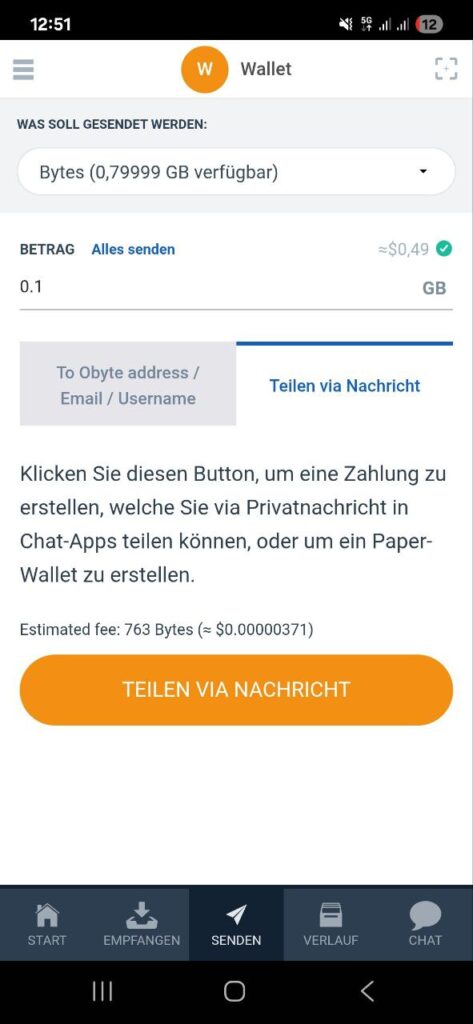
You can create a Textcoin directly in your wallet – quick, simple, and hassle-free.
- Open your wallet
- Go to the Send tab
- Select the token and amount
- Tap “Share via message”
- Share the link – done!
🧾 Redeeming a Textcoin
There are two ways to redeem a Textcoin:
🔗 1. Open the link directly
Just open the Textcoin link in any browser.
Here’s what a Textcoin link looks like::
https://obyte.org/#textcoin?father-record-wild-repair-immune-dwarf-trash-bamboo-write-girl-crazy-brave
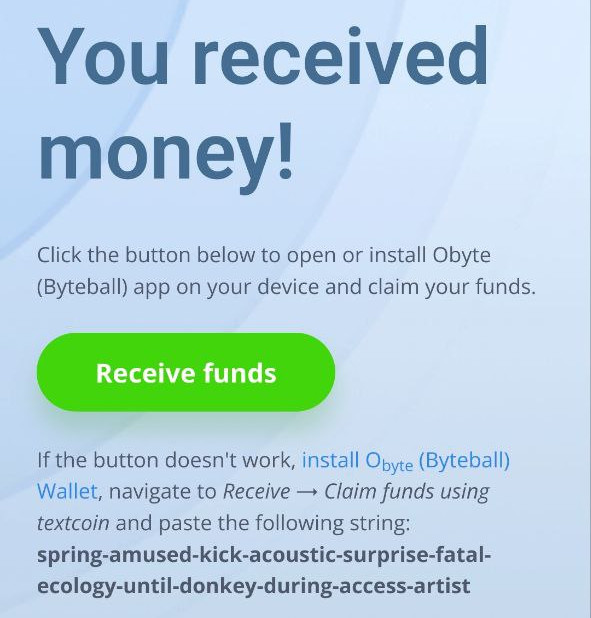
➡️ You’ll be automatically redirected to the Obyte website.
👉 There, click “Receive funds” to claim the Textcoin.
⚠️ Note for Messenger users (e.g. Telegram)
Some messengers open links in their own in-app browser.
This can block the redirection to the Obyte wallet.✅ Solution: Open the link in an external browser like Chrome, Firefox, or Safari.
🧠 2. Redeem manually in the wallet
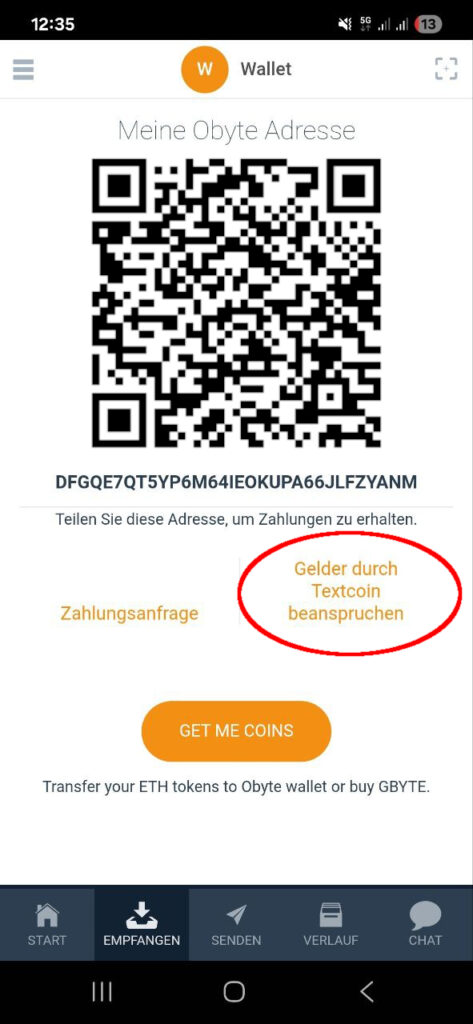
Alternatively, you can redeem the Textcoin directly in the wallet:
- Open the Obyte wallet
- Go to the Receive tab
- Select “Claim funds using Textcoin”
- Enter the 12 words of the Textcoin
This method is especially useful if you received the Textcoin offline (e.g. printed out).
🔐 Textcoin as an Offline Cold Wallet
A Textcoin can also be used as a simple cold wallet:
- Create a Textcoin as described above
- Print out the link
- Store it somewhere safe (e.g. in a safe or lockbox)
As long as no one opens the link, the funds remain untouched.
🎁 Get Your First Textcoin
Try the Obyte quiz on Telegram – if you complete it successfully, you’ll receive a Textcoin with some free Bytes as a reward.
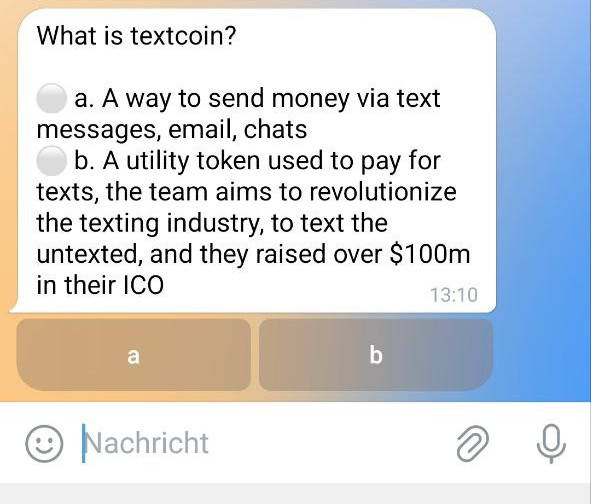
👉 https://t.me/ByteballQuizBot
Perfect for beginners – and a fun way to get to know Obyte better.
✅ Conclusion
Textcoins make crypto finally ready for everyday use.
No tech barriers – just a link. Simply Obyte!